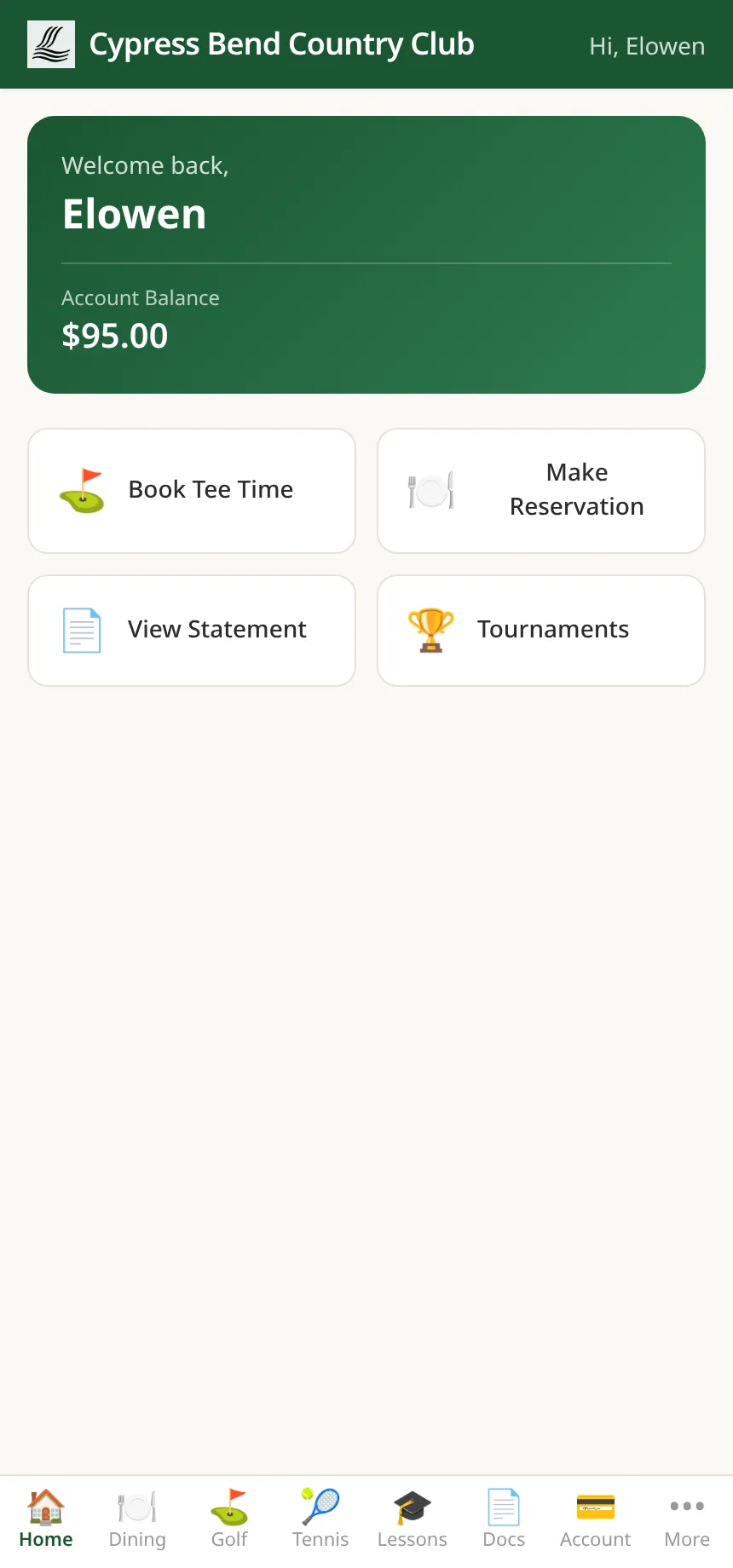
Members book tee times, reserve dining, book courts and the pool, and read their own statement — without calling the office. Staff clock in, check the schedule and file time off from the same platform. Two portals, zero re-keying.
Login is a passwordless magic link sent to the member’s email — one tap and they’re in, on any phone. From there the whole club is self-service: browse, book, cancel and pay, with no staff in the loop — and the portal keeps them signed in on that phone for two weeks.
Magic link by email
no password to set or forget
One tap, signed in
opens right in the phone’s browser
Book, cancel, pay
fully self-service, no staff needed
The day’s tee sheet, live
Members browse real availability on the same tee sheet the golf shop runs, book the time directly — and cancel it themselves if plans change. No morning phone queue at the pro shop.
Dinner, three taps later
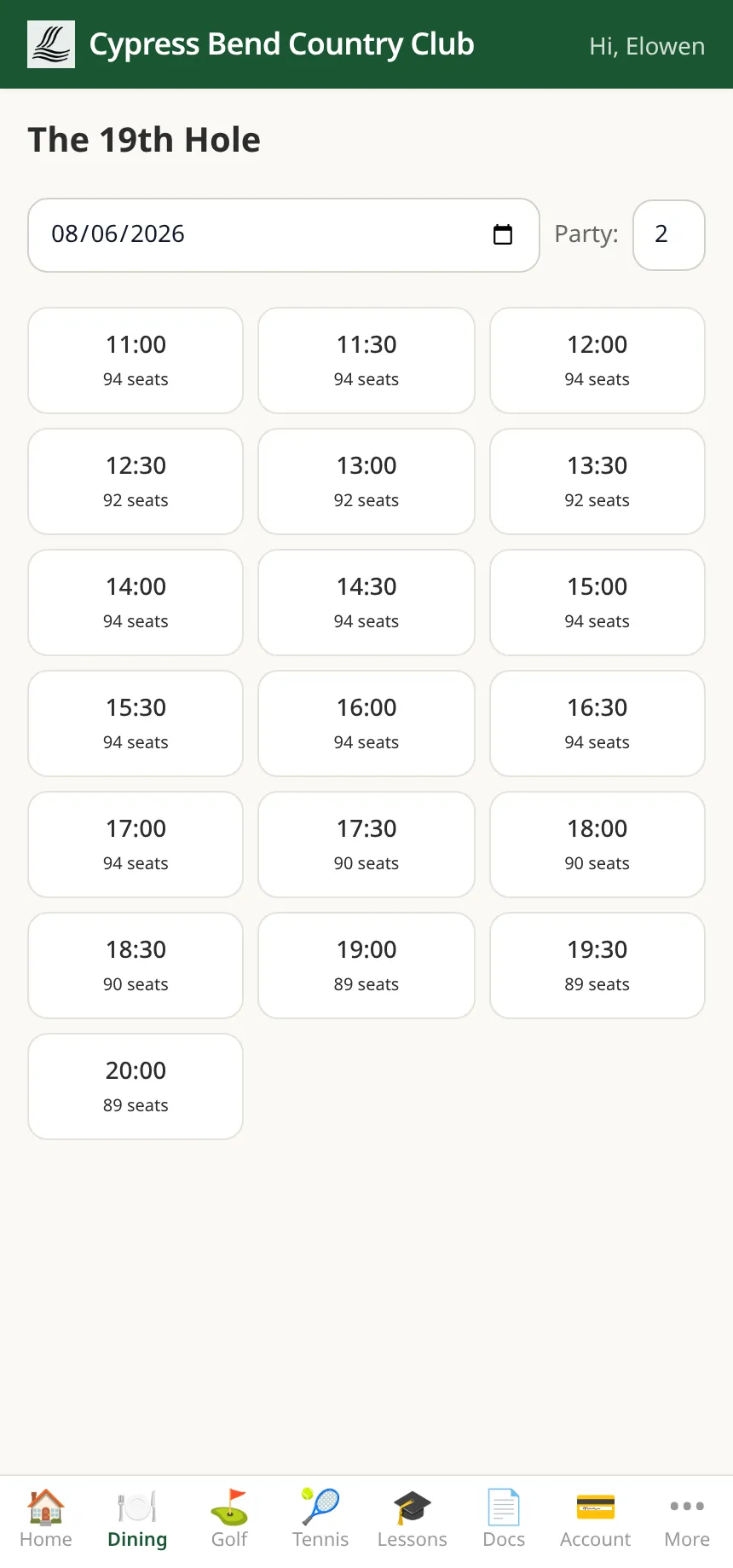
Pick a date and party size and the portal shows the restaurant’s open times with live seat counts. The reservation lands on the same book the host stand works from.
Their account, in the open
Current balance, monthly statements as PDFs, and a transaction list that adds up to the balance — a bar or pro-shop line opens to its itemized receipt. Members answer “what’s this charge?” themselves before it ever becomes a call to the office.
Tournaments & leaderboards
Members see upcoming tournaments and past results, and follow the live leaderboard as scores come in — the same standings the scorekeepers are feeding. Entries go through the pro shop.
Profile, family & documents
Personal and family details in one place — members update their own phone and email, and a new email is confirmed before it changes. Plus a Docs area to sign club forms, upload what the club asks for and read the library — bylaws, newsletters, handbooks.
Courts and amenities, same portal
Tennis courts, pool lanes and cabanas, lessons and spa appointments book right beside golf and dining in the member’s tab bar, and the programs the club runs — fitness classes, kids camps, lessons, spa — bill to the same member account. See amenities & programs →
The employee portal
Six tabs that end the break-room paperwork
Home, Schedule, Timesheet, Clock, Time Off, Profile. Staff sign in with a username or a quick 4–6 digit PIN and handle their whole working week without asking a manager to look something up.
app.clubcorehq.com/employee
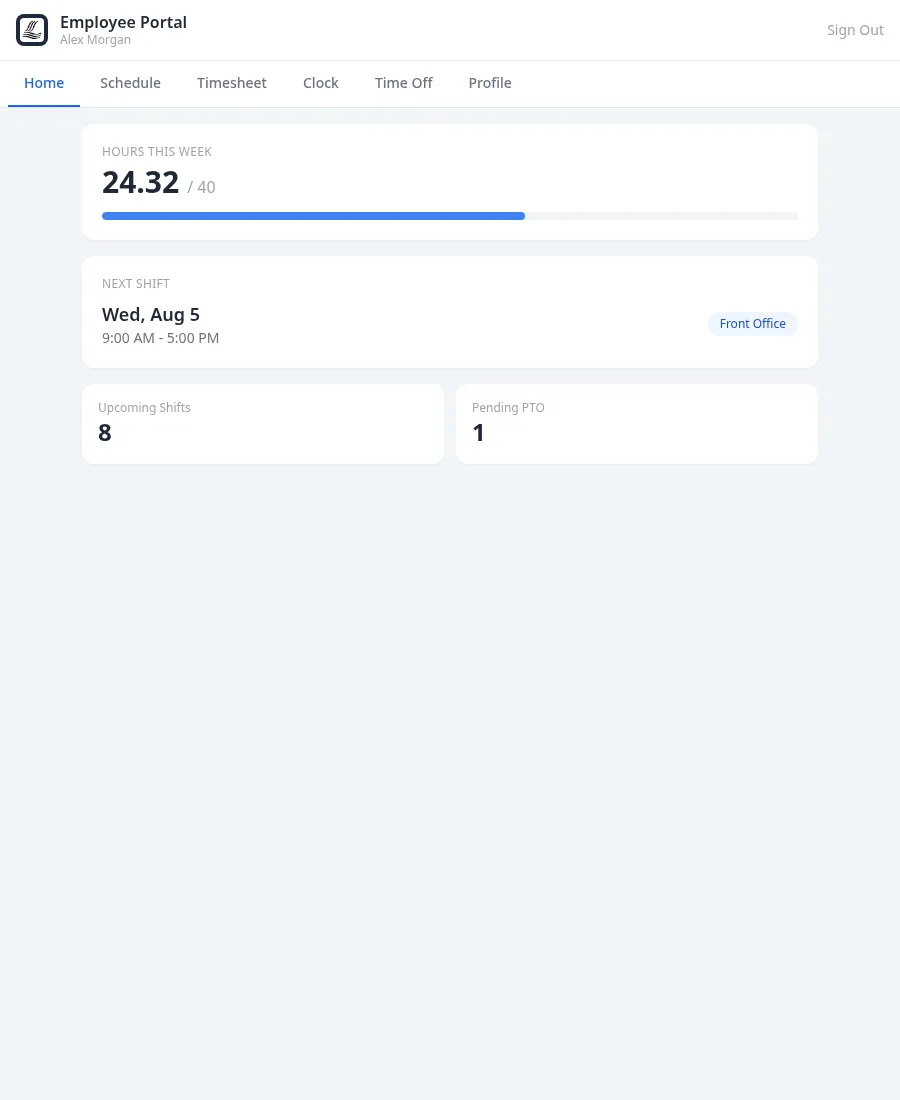
Employee portal home — hours this week, next shift and pending PTO
The week at a glance. Hours worked against hours scheduled, the next shift on deck, and any pending time off — the questions staff actually ask, answered on the first screen.
app.clubcorehq.com/employee/clock
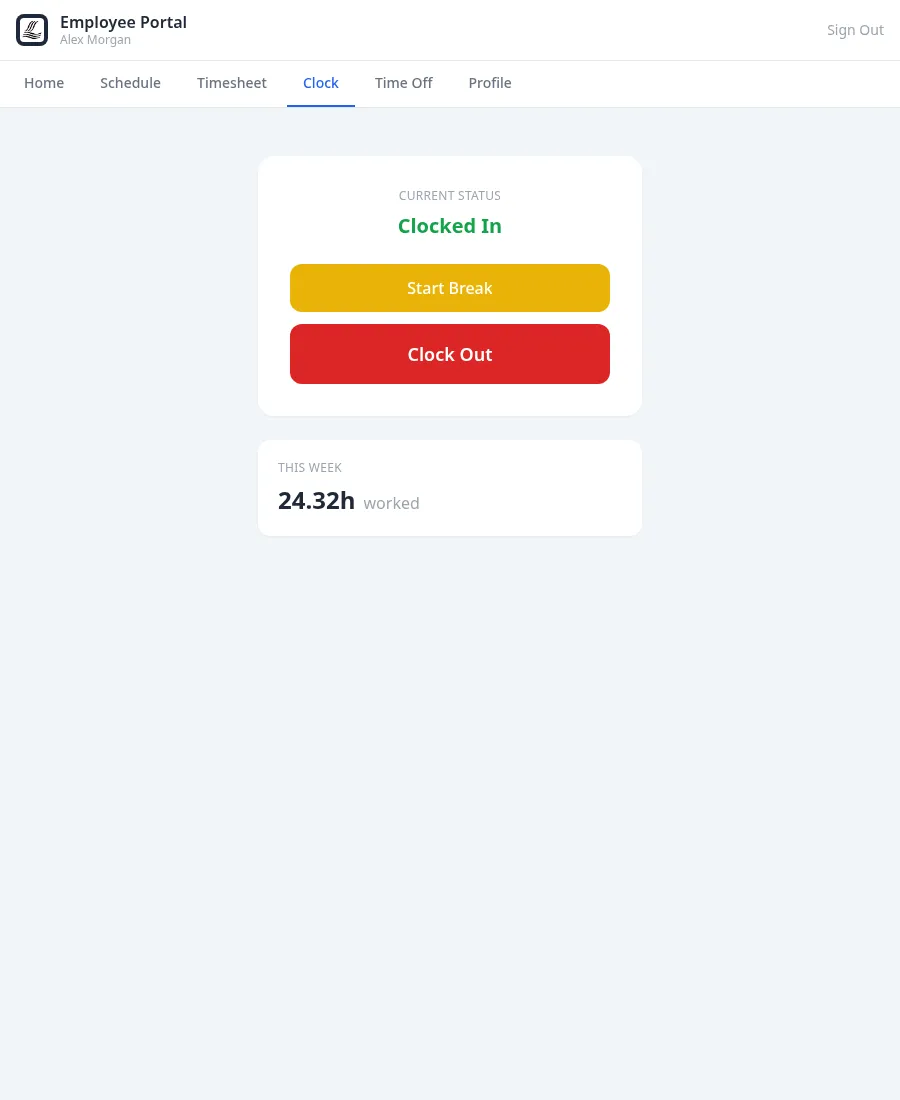
Employee portal clock — current status and one-tap clock in
The same clock as the kiosk. Portal punches, PIN punches at a shared station and NFC card taps all write the same time entries — one clock status per employee, one history, one timesheet.
Clock in, clock out
One button, stamped to the minute, with current status and hours-this-week always visible. Every punch lands in the same time entries the club’s time clock keeps.
My schedule
Upcoming shifts and the next one on deck, straight from the club’s staff scheduling — no photographed paper grid on the break-room wall.
Time off, requested properly
Staff file time-off requests and see their balances in the portal, so “I asked the manager last month” stops being the system of record.
Timesheets they can check
Every employee sees their own timesheet — the exact hours the club will pay against — before payday, not after.
The manager’s half lives in HR
Behind these six tabs sits the back office: smart staff scheduling with availability, coverage view, auto-fill and shift swaps, NFC card management, an on-clock roster, and timesheet reporting for payroll. See HR, time clock & scheduling →
Not a bolted-on booking widget
Self-service that lands on the club’s books
Both portals are the same platform the staff runs — not a third-party add-on synced overnight. What a member or employee does on a phone is on the club’s screens the same moment.
One tee sheet
Member bookings, golf-shop bookings and admin bookings all hit the same sheet with real-time slot tracking — a portal booking can never double-sell a time.
One member account
The balance a member sees in the portal is the balance the office sees — same transactions, same invoices, no export, no reconciliation between systems.
One clock
Portal punches and kiosk punches share one time-entry history per employee, so the timesheet staff check is the timesheet the club pays from.
See it live in 15 minutes.
We'll hand you a personal sandbox seeded with a full club — menu, members and three years of books — then walk your team through it.