
The USFRC chart, ready to go
Start from a standard chart in one click — or, with ClubCore support, seed the Uniform System of Financial Reporting for Clubs (7th edition), preview it before anything is created, and audit an existing chart against it.
ClubCore runs a true double-entry GL inside the same system as the register, the tee sheet and member billing — so POS sales, member charges and amenity fees post their own journal entries, and every posting traces back to the ticket that created it.
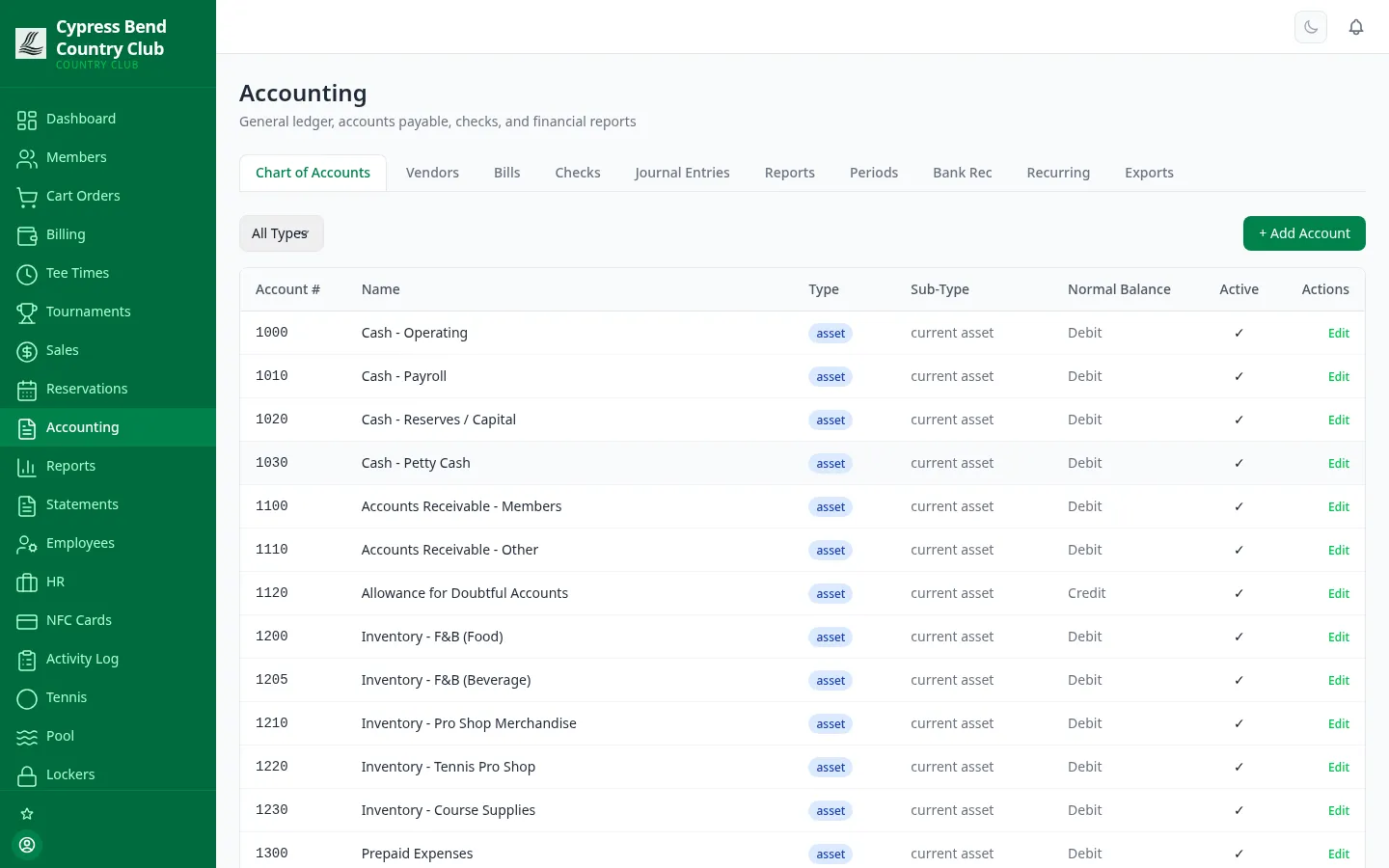
One Accounting page, eleven tabs, no re-keying. Accounts organized by Assets, Liabilities, Equity, Revenue and Expenses, with subaccount hierarchy and balance tracking on every account.
Start from a standard chart in one click — or, with ClubCore support, seed the Uniform System of Financial Reporting for Clubs (7th edition), preview it before anything is created, and audit an existing chart against it.
Journal entries save as drafts you can still edit — but once posted, an entry is a permanent ledger record that shows who posted it and when. Voiding never erases history: ClubCore posts a balancing reversal, and both sides land in the audit trail.
Close a month and nothing dated on or before it can post — not journal entries, bills, checks or POS. Soft-close a period under review; reopening a closed one takes an admin, a password sign-in and a written reason, all logged. A period can only be closed once it has ended. Year-end close follows your fiscal year, rolls net income into retained earnings and locks the year.
Trial balance, income statement and balance sheet for any period, a Budget tab that feeds budget and variance columns on the formatted statements — and, for 501(c)(7) clubs, UBIT figures classified by your chart’s nonmember flags for your accountant.
POS sales and member billing create their own journal entries, and charges from events, fitness, camps, lockers, tournaments, lessons and the pro shop post through A/R into standard USFRC revenue accounts — re-routable per category to the accounts your club actually uses — ClubCore support sets the mapping, no code change. Manual entries are for adjustments and transfers, not for keying the day in.
Bills move through a controlled lifecycle — draft, open, paid or voided — with aging buckets from Current to 90+ days so overdue is never a surprise.
Key a week of invoices as one validated batch — ClubCore flags any bill matching an existing vendor and invoice number, so the same invoice can’t get paid twice — then pay and print in one pass.
A misprint isn’t a mess. Void & Reissue cancels the damaged check and drops a fresh one back in the print queue — and a facsimile mode draws the whole check on plain paper for test prints and record copies.
A registry of everyone the club pays — suppliers, utilities, service providers — with bills, checks and purchase orders all tied back to the vendor record.
Tick ledger items off against the monthly statement, add adjustment entries for bank fees and interest, and complete when it balances. Outstanding checks and deposits in transit carry into next month automatically.
Templates for depreciation, accruals and rent post on their own schedule. Preview shows exactly what a run would post before anything touches the ledger — or skip an occurrence entirely.
Map GL accounts to QuickBooks names once, then export the journal as IIF (Desktop) or CSV (Online), formatted Excel workbooks — trial balance, GL detail, A/R aging — for your treasurer or CPA, plus payroll roster and hours files. Every export is logged — who pulled what, and when.
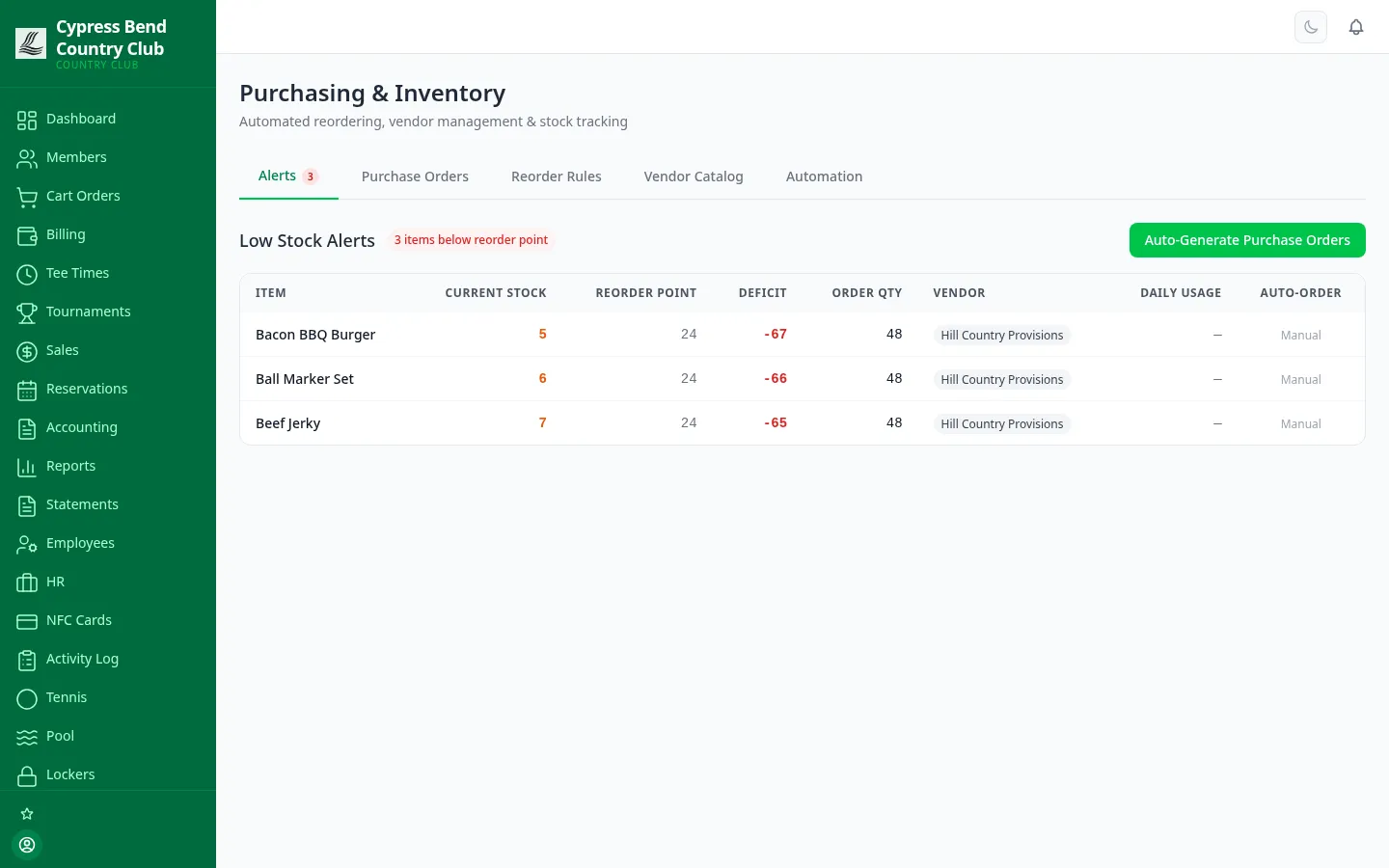
Per-item reorder rules set the low-stock threshold, the reorder quantity and the vendor. When stock dips below the line, an alert fires — and the automation loop can draft the purchase orders, submit them, receive the stock back into inventory and generate the matching vendor bill straight into Accounts Payable.
There’s no single flat tax-rate field to outgrow. Each club’s tax categories — set up with ClubCore support — carry one or more rates, every item is assigned a category, and the register computes each line’s tax from it — with Tax Collected surfaced as a dashboard KPI.
Capital reserve planning answers the board’s hardest question — are we saving enough for the roof, the greens and the fleet — and hub mode lets the accounting firm managing several clubs work every client’s books from one place, each kept separate.
Track reserve components on standard useful-life conventions, manage reserve funds and their transactions, and project funding a decade out — the numbers a reserve conversation should start from.
Built in, run with ClubCore support — screen comingClubCore checks the club’s reserve position against the Eight Financial Warning Signs of underfunding, so the board sees trouble as a named, explainable flag — not a surprise in year six.
Built in, run with ClubCore support — screen comingHub mode gives the firm a card for every client club — members, cash, month-to-date revenue and expenses, last sync — and each club’s trial balance, income statement and balance sheet side by side, never blended into one total. A nightly integrity check confirms the hub’s copy still matches each club’s books.
When the firm owns a club’s books, the club-side ledger tabs — chart of accounts, journal entries, periods, bank rec, checks — go read-only. The firm makes those entries; the club can’t accidentally post over them.
We'll hand you a personal sandbox seeded with a full club — menu, members and three years of books — then walk your team through it.
Prefer email? [email protected] · ClubCore by Atlas Core Technologies, New Braunfels, Texas