One member database behind every module — types, statuses, households and photos on the same record that the tee sheet books, the register charges and the statement bills. Change it once, it’s right everywhere.
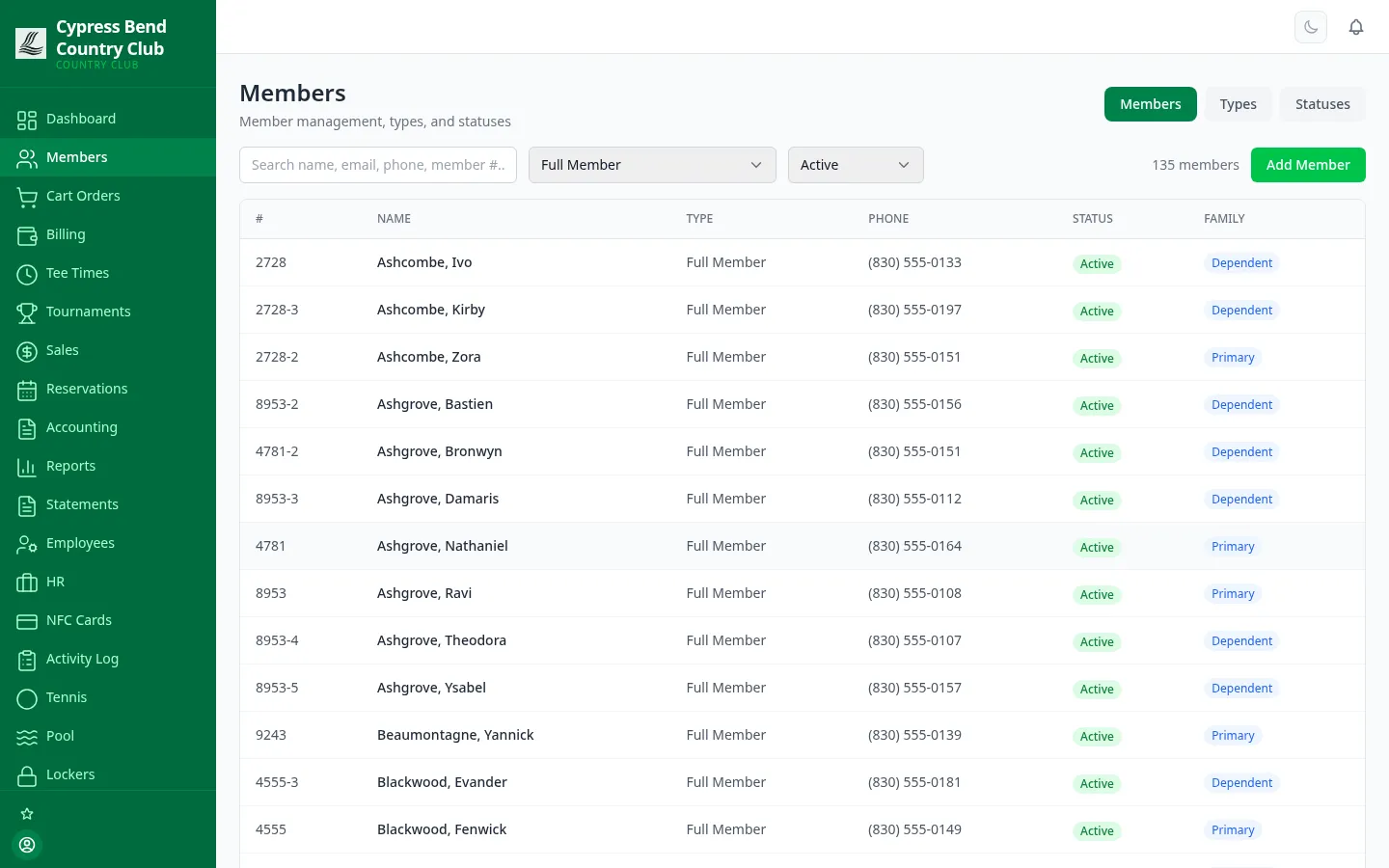
Search by name, email, phone or member number; filter by any type or status, and export the roster to CSV in one click. Every row carries the member’s photo, contact details, join date and notes — and shows at a glance whether they’re a primary or a dependent in a family group.
app.clubcorehq.com/members
Members directory — search, type and status filters, family roles
The live demo directory, filtered to active Full Members — one slice of a seeded roster of 4,073 members across 20 member types, the same data every screenshot on this page comes from.
Households, not just names
Build a family on the member record: add dependents under the primary, change who the primary is, or take someone out. The family column shows who belongs to whom right in the directory, and the household appears under the primary’s account in the member portal.
Statuses that mean something
Active, Inactive, Suspended, Resigned, Leave of Absence — status is a first-class field you can filter the whole roster by, and it has teeth: a suspended member can still sign in and pay, but can’t book or charge.
Archive, never delete
Removing a member is a soft delete. The record — history, charges, notes — is archived intact, and any balance they still owe is reported on its own instead of vanishing from A/R. A resigned member who rejoins in two years picks up where they left off.
A face with every name
Every profile carries a photo, so front-desk and F&B staff greet members by name — with optional facial-recognition enrollment for clubs that want it. And every edit to a member record lands in the activity log, so you can always answer “who changed this, and when?”
Member types
Your classes, not our template
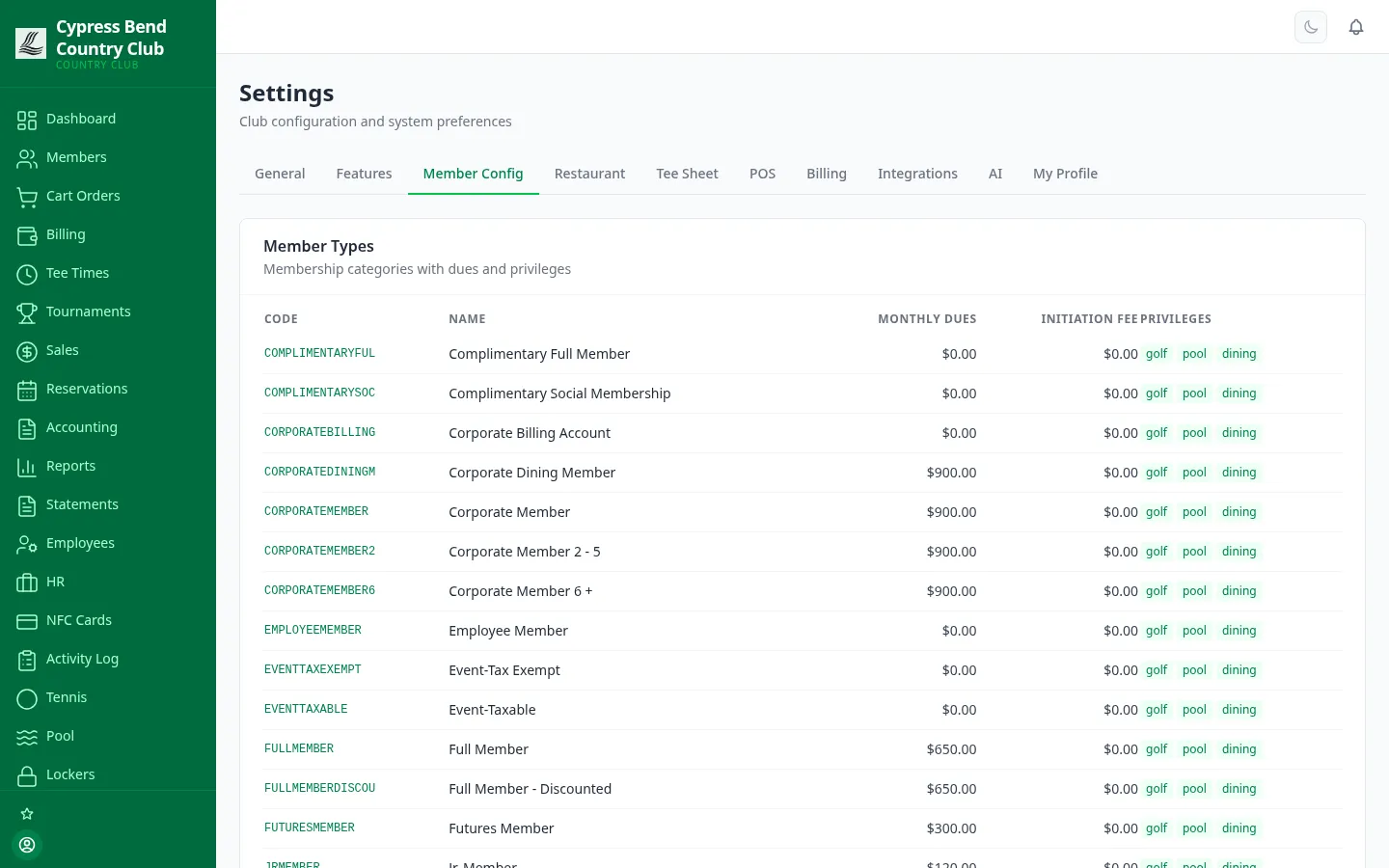
Full, Social, Pool, Junior, Corporate 2–5, Corporate 6+, Employee, Complimentary — member types are yours to define. Each type carries its own code, monthly dues, initiation fee and privilege set (golf, pool, dining), so what a membership costs and what it unlocks live in one place — and the type’s monthly dues drive exactly one recurring dues charge. Change the dues on the type and the billing follows; a type whose dues nothing bills is flagged, with a one-click fix.
Fully configurable types
Dues & initiation per type
Golf / pool / dining privileges
Corporate & billing accounts
app.clubcorehq.com/settings
Settings — Member Config: types with dues, initiation fees and privileges
app.clubcorehq.com/nfc-cards
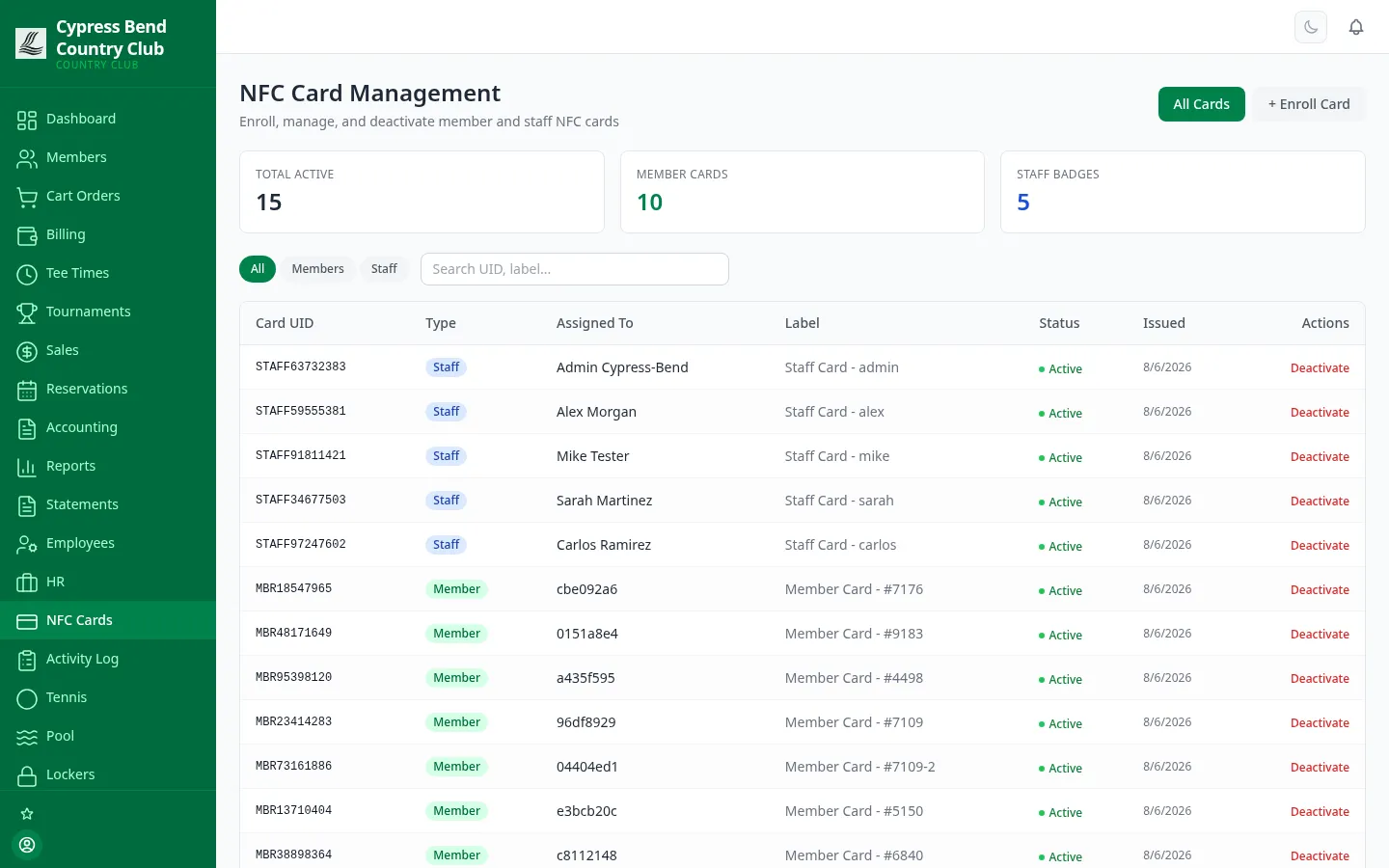
NFC card management — member cards and staff badges
NFC member cards
“Put it on my account” is a tap
Issue every member a physical NFC card tied to their account. At the bar, the turn window or the pro shop, a tap identifies the member and posts the charge — no name spelled over a loud room, no wrong Anderson billed. The same screen manages staff badges for the time clock, so one card program covers the whole building.
Tap to charge a member account at any register
Enroll a card in seconds, from the browser
Deactivate a lost card centrally — instantly dead everywhere
Expiry dates and card-to-member linking, tracked per card
Lifecycle & governance
Memberships change. The system keeps up.
The parts of membership your bylaws care about — class transitions, tax compliance and board governance — are modeled in the platform’s engine. Their admin screens are still to come, so each card says how a club uses it today.
Lifecycle transitions
A membership class engine handles the transitions bylaws create: honorary status, surviving-spouse conversion, and age steps that move juniors and seniors to the right class — run on schedule once your class rules are loaded.
Set up with ClubCore support
501(c)(7) nonmember income
Private clubs live and die by the nonmember-revenue tests. Register sales carry member or nonmember, and income is classified by your chart’s nonmember flags — so the UBIT figures your accountant asks for tie back to the income statement.
For your accountant — no screen yet
Board & committee records
Seats, committees, meetings, agenda items, decisions and action items — modeled next to the roster they govern, instead of in a binder.
Admin screens coming
One record, every module
The member record the lifecycle engine maintains is the same one the tee sheet books, the registers charge and the monthly statement bills — see pricing for what’s included in each plan.
See it live in 15 minutes.
We'll hand you a personal sandbox seeded with a full club — menu, members and three years of books — then walk your team through it.