
Availability
Staff record when they can work, so the schedule can be built around it.
The same badge that signs staff into the register clocks them in at the door. Schedules build from your shift templates, timesheets compute themselves, and time-off runs through an approval queue — so what comes out the other end is the clean payroll data your bookkeeper needs.
A tablet by the staff entrance runs the kiosk: it is activated and approved once as a clock station, then locks into time-clock mode. Staff tap their NFC badge to clock in or out — no login, no line, and an accidental double tap doesn’t flip the punch.
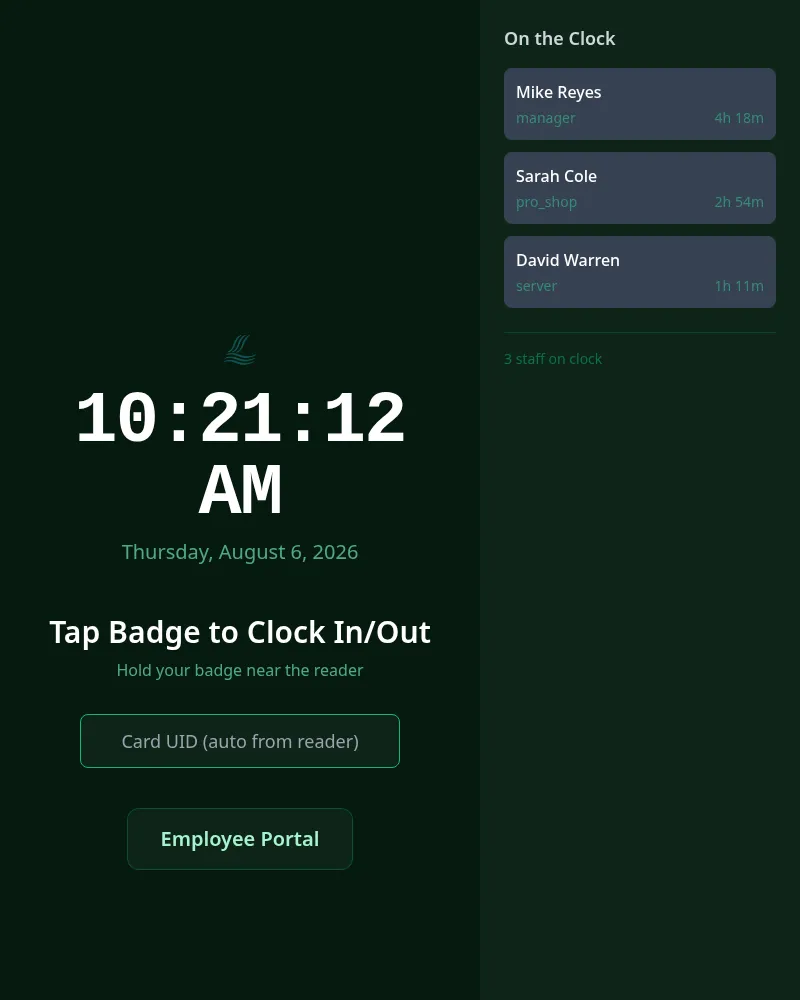
The kiosk is deliberately dumb. A big clock, a tap prompt, a manual card-UID field for keyboard or barcode-scanner entry, and a door to the employee portal. It can’t browse the admin, can’t open a register — it clocks people in and out, full stop.
Managers see a live on-clock roster with each employee’s current status — useful at 6 a.m. when you’re counting heads for a shotgun start, and at 11 p.m. when someone forgot to clock out.
Every employee can also clock in from the employee portal on their phone — one button that auto-detects direction, a running shift timer, and an optional note on the entry. It’s tied to their login, so it’s still their punch.
The same staff badge signs an employee into a POS register — one tap for station roles, badge plus PIN for admins, managers and accounting. Lose a badge, deactivate it once — the time clock and the register both stop accepting it immediately.
The Schedule tab is a Monday-through-Sunday grid — click a cell to assign a shift, filter by department, and generate a whole week from your shift templates instead of rebuilding it from scratch. Overnight closing shifts are handled, and an overlapping or duplicate shift is refused.
Every employee’s portal shows their next 14 days by default, with a week or month view and a status on each shift — scheduled, confirmed, completed. Nobody photographs the schedule taped to the kitchen door, because there isn’t one.
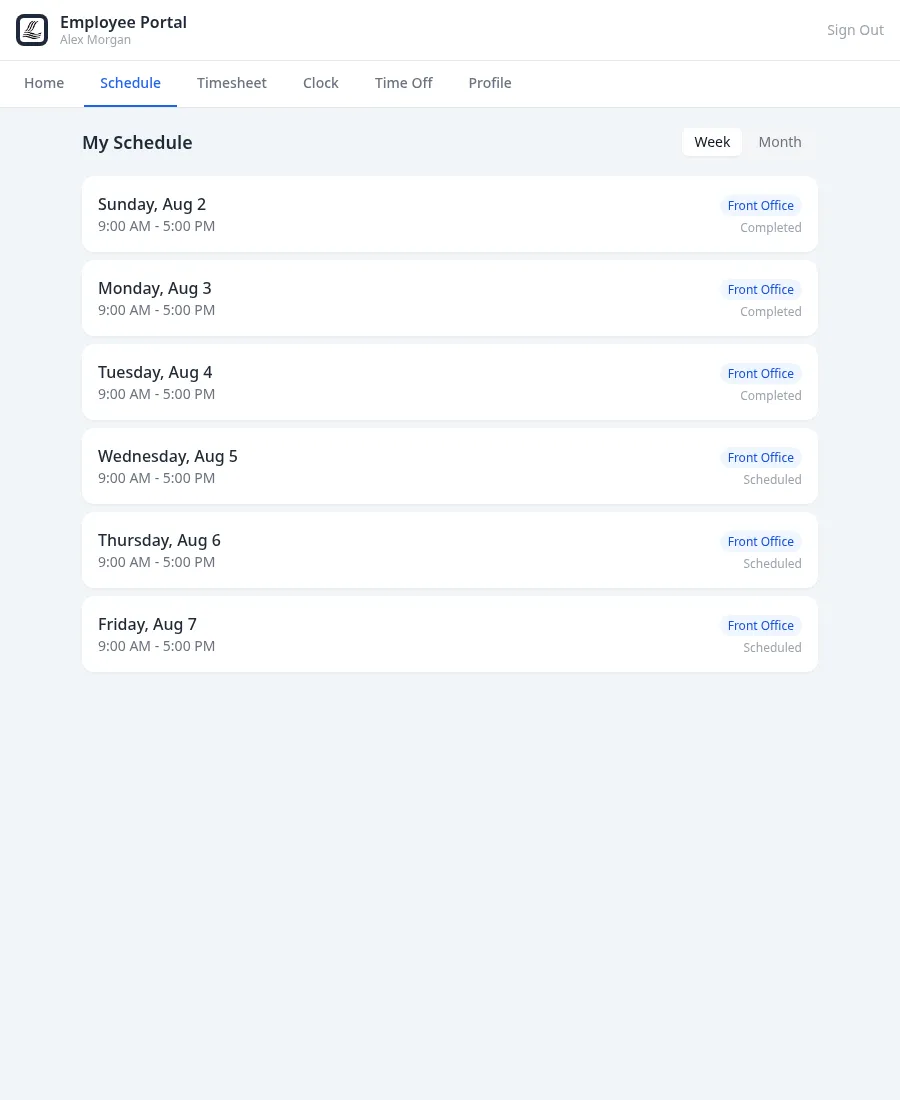
Today a manager assigns shifts by hand or generates the week from templates, and shifts show up for staff as soon as they’re assigned. These are next:
Staff record when they can work, so the schedule can be built around it.
Each day’s staffing shown against what the club needs, so a thin shift stands out early.
Proposes available staff who aren’t already scheduled for the open shifts, for a manager to review before anything is saved.
Staff request a trade and a manager approves it, instead of a group text.
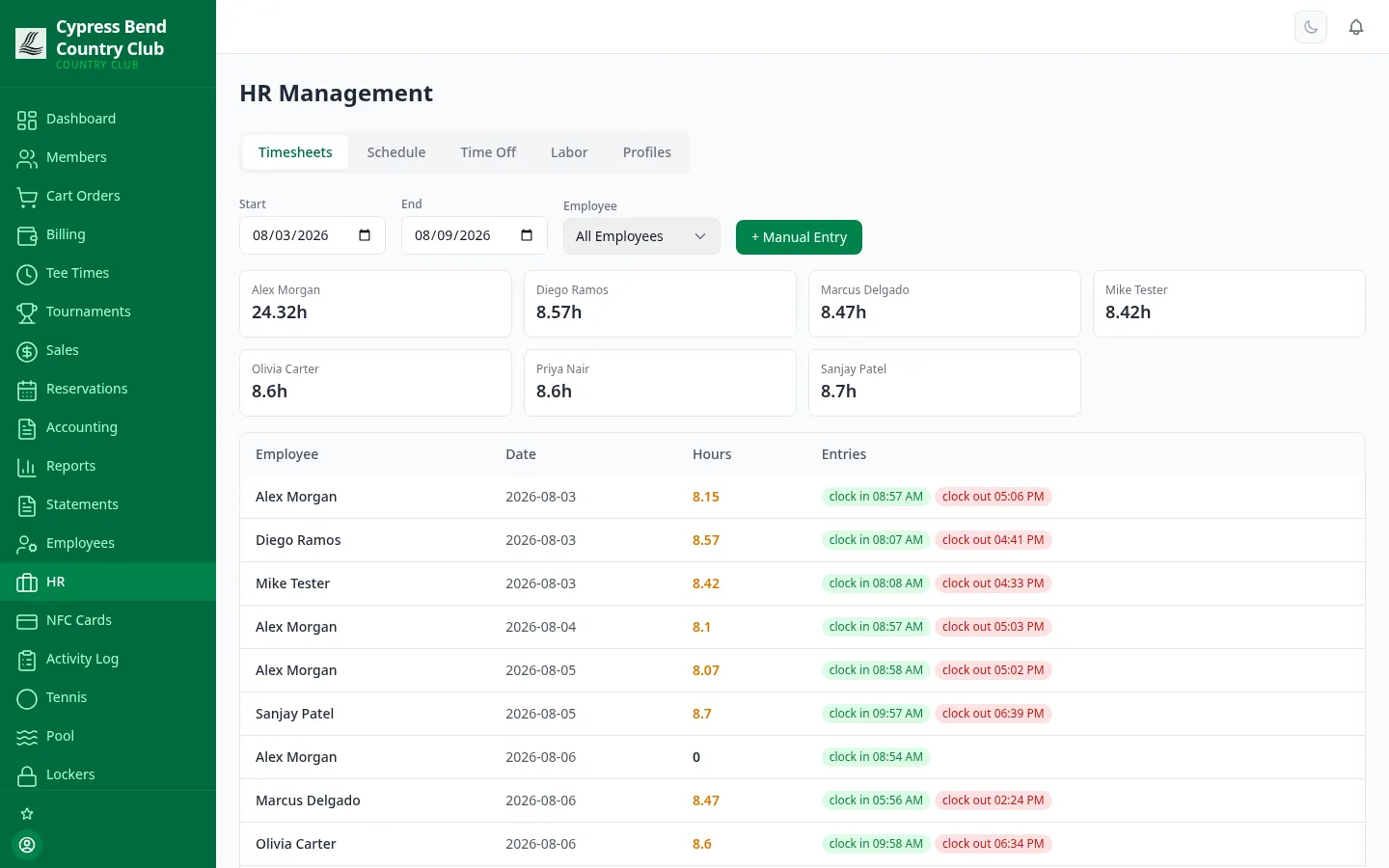
Every punch becomes a timesheet entry the moment it happens. Employees check their own hours; managers correct the exceptions instead of transcribing the whole week.
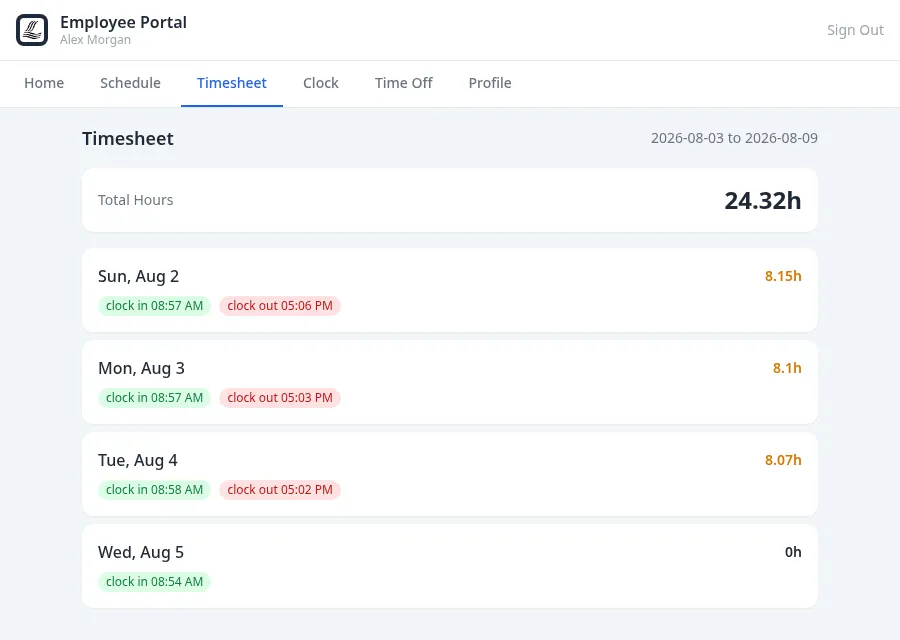
Staff audit their own hours. The portal shows every entry — clock in, clock out, break start, break end — grouped by day with the weekly total on top. A dispute about hours becomes a thirty-second look at the same record the manager sees.
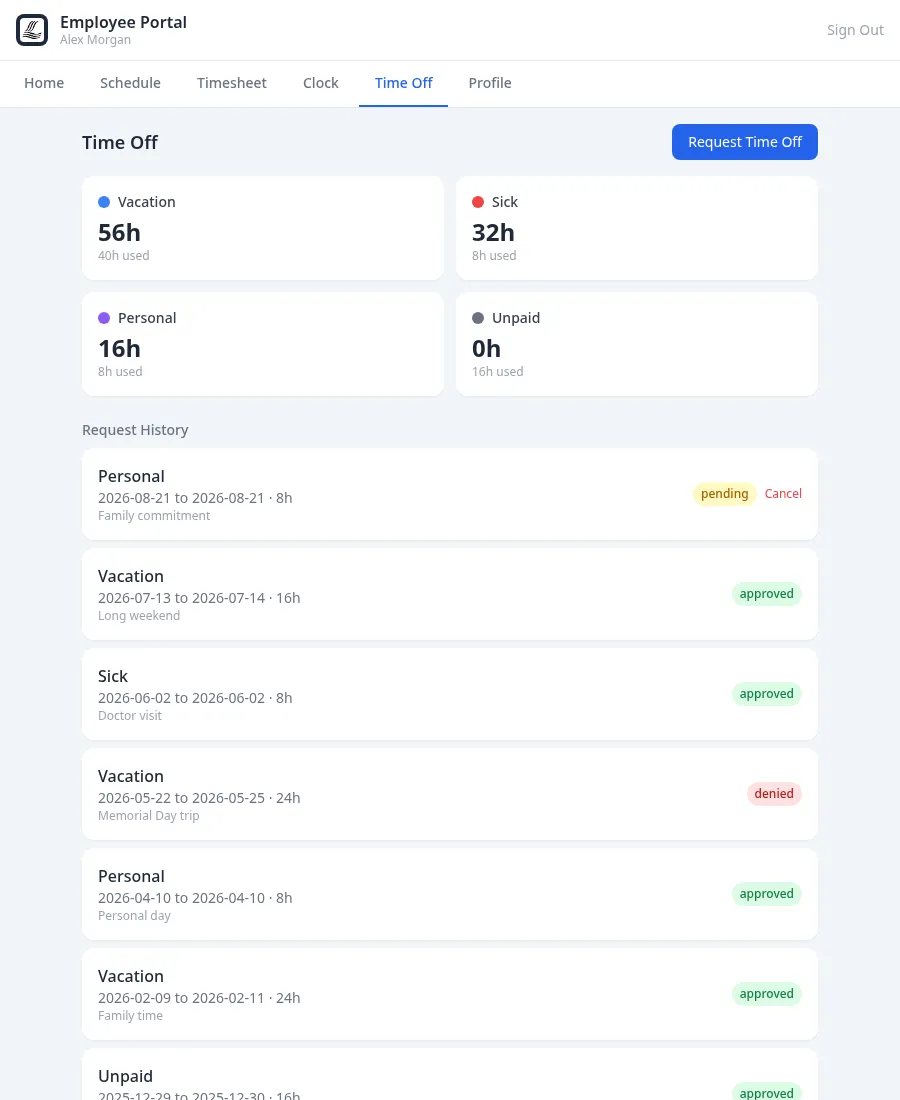
Time off is a workflow, not a hallway conversation. Staff see their vacation, sick and personal balances, submit dates with a reason, and can cancel while a request is still pending. Managers get notified automatically and work an approve/deny queue in HR, where approval checks the employee’s balance — every request ends in a recorded answer.
Clock in/out pairs — breaks included — become daily hours and weekly totals automatically, with overtime counted over 40 in each workweek, the FLSA way. A punch that would pay nothing, like a missed clock-out, is flagged until it’s fixed.
Missed a punch? Managers add or edit the entry — on the record in the activity log, and nobody can change their own pay or time. Once hours are paid, lock the pay period so they can’t change silently.
The Labor tab totals hours by department and multiplies by pay rate — salaried staff at their prorated salary — for labor and overtime cost over any date range, while the week is still happening.
ClubCore isn’t a payroll processor and doesn’t pretend to be. What it does is hand whoever runs your payroll — a bookkeeper, an outside firm — exactly what they need, already reconciled.
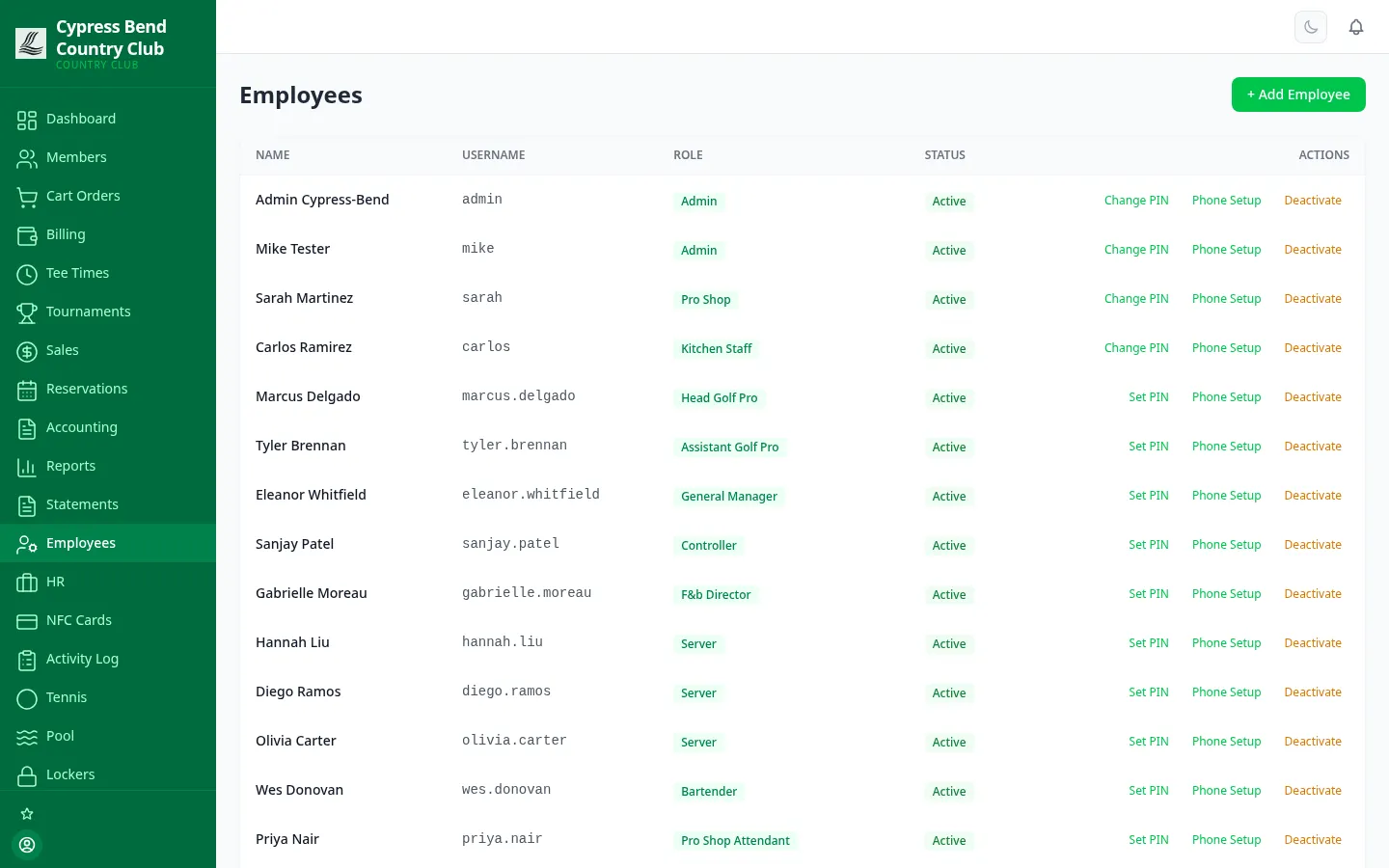
Each employee is one entry in the directory: their role and department, their kiosk PIN, their NFC badge, their portal login, and their module permissions. HR profiles carry hire date, pay rate, employment type and emergency contact — so hours and cost always trace back to a real person, not a duplicate row.
Weekly totals from real punches, with manager corrections on the record, overtime split by workweek, and pay periods locked once they’re paid.
Hours times pay rate, split by department, for any date range — the labor report your P&L conversation actually needs.
Approved paid time off lands in the payroll hours file next to worked hours — no chasing down whether that Thursday was ever signed off.
We'll hand you a personal sandbox seeded with a full club — menu, members and three years of books — then walk your team through it.
Prefer email? [email protected] · ClubCore by Atlas Core Technologies, New Braunfels, Texas